



Contents
A Paynter chart is a table, often drawn as stacked columns, that breaks failures down by failure mode and time period. Each row is a failure mode, each column a period of manufacture such as a month or week, and each cell holds a count, a rate or a PPM value. A marker shows when a corrective action took effect. Read across a row and you see whether the action worked and whether another failure mode is taking its place.
According to a presentation given to an American Society for Quality section, the tool goes back to Marvin Paynter at Ford, who developed it in the early 1980s. It is mostly used to analyze product failures, usually alongside a Pareto chart (Marhevko, ASQ).
How a Paynter chart is built
- Rows: failure modes, most frequent at the top. Rare modes go into one row called Other.
- Columns: equal periods, by date of manufacture. Sorting by date of complaint shifts every effect to the right.
- Values: failures per fixed base, for example per 1,000 units built. Raw counts mislead as soon as volume changes.
- Action marker: a line at the period when a corrective action took effect, with a short note.
- Total row: shows whether failures fall overall or simply move from one row to another.
Worked example: field returns by build month
The numbers are invented for illustration. A supplier of electronic control units tracks field returns per 1,000 units, sorted by the month each unit was built. From May onward, connectors receive an additional protective coating.
| Failure mode | Jan | Feb | Mar | Apr | May (action) | Jun | Jul | Aug |
|---|---|---|---|---|---|---|---|---|
| Connector corrosion | 3.1 | 3.4 | 2.9 | 3.2 | 0.9 | 0.6 | 0.4 | 0.2 |
| Seal leak | 1.2 | 1.1 | 1.3 | 1.2 | 1.1 | 1.0 | 0.7 | 0.4 |
| Software fault | 0.6 | 0.7 | 0.5 | 0.6 | 0.6 | 0.5 | 0.3 | 0.2 |
| Other | 0.5 | 0.4 | 0.5 | 0.4 | 0.5 | 0.4 | 0.3 | 0.1 |
| Total | 5.4 | 5.6 | 5.2 | 5.4 | 3.1 | 2.5 | 1.7 | 0.9 |
Reading the example
Connector corrosion falls from about 3.2 to under 1 return per 1,000 units for units built from May. Seal leaks and software faults stay at their earlier level in May and June. Those build months are therefore old enough to compare, and the coating did not introduce a new failure mode.
The right edge needs care. Units built in July and August have been in the field for only a few weeks when the chart is drawn. Every row drops there, seal leaks and software faults included, because those units have not yet had time to fail. A field-return Paynter chart only shows the full effect once each build month has had the same time in service. Until then, compare build months at equal age, for example returns within the first three months of use.
Three other patterns are worth knowing:
- Shifting. One row falls while another rises in the same period. The failure may have been relabeled or moved rather than fixed.
- Relapse. A row climbs again months after the action. The root cause was not removed, or a setting was lost.
- Volume swings. A month with half the usual output can look good in raw counts. Rates per unit built remove that effect.
Paynter chart, Pareto chart and control chart
| Tool | Question it answers | Time view | Typical use |
|---|---|---|---|
| Pareto chart | Which failure mode is most frequent? | one period, summed | choosing where to start |
| Paynter chart | How does each failure mode develop, and does the action work? | trend per period | proving effectiveness |
| Control chart | Is the process statistically stable? | individual values or samples with control limits | ongoing process monitoring |
In an 8D, the Pareto chart supports the choice of problem, and the Paynter chart belongs in D6, where the permanent corrective action is implemented and its effect validated. Marking the interim containment from D3 as well shows whether inspection only caught the failure or the corrective action removed it. For the root cause step in between, see root cause analysis.
Data for a Paynter chart with SYMESTIC
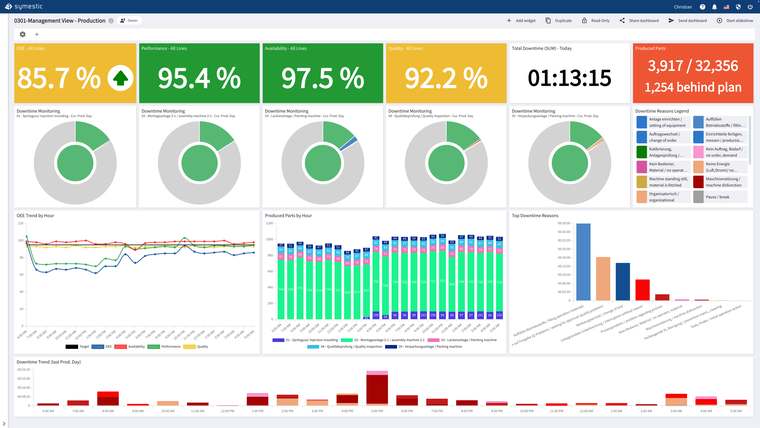
SYMESTIC does not draw Paynter charts. It captures the data behind them for in-plant defects. At the workstation, the operator scans the part barcode, rates the part OK or NOK and picks the reason from the quality defect catalog. Each part is recorded with its serial number and result, so the inspected quantity is known. Reports show the top defect reasons, the defect rate in percent or PPM and its trend. From the Excel export you can build the table by week and defect type.
See the page on quality control software for details.
Sources
- Jd Marhevko: Paynter Charts: A Form of Predictive Warranty Analysis, presentation to an American Society for Quality section, 2021 (PDF)

A free live demo based on your own use case shows how defect reasons are captured at the workstation and tracked over time.
See SYMESTIC on your own use case
In a free live demo, a product expert walks you through the running platform and shows what OEE, downtime and the connection of your machines and ERP look like in practice.
- Live OEE
- Downtime and reasons
- Connecting machines and ERP