



Machine downtime tracking to reduce downtime: capture, explain and eliminate every stop
SYMESTIC's machine downtime tracking detects every stop automatically at the machine. The operator selects the reason at the workstation, and the analysis shows which machine stops how often and why. That turns “the line stops a lot” into a list of causes.


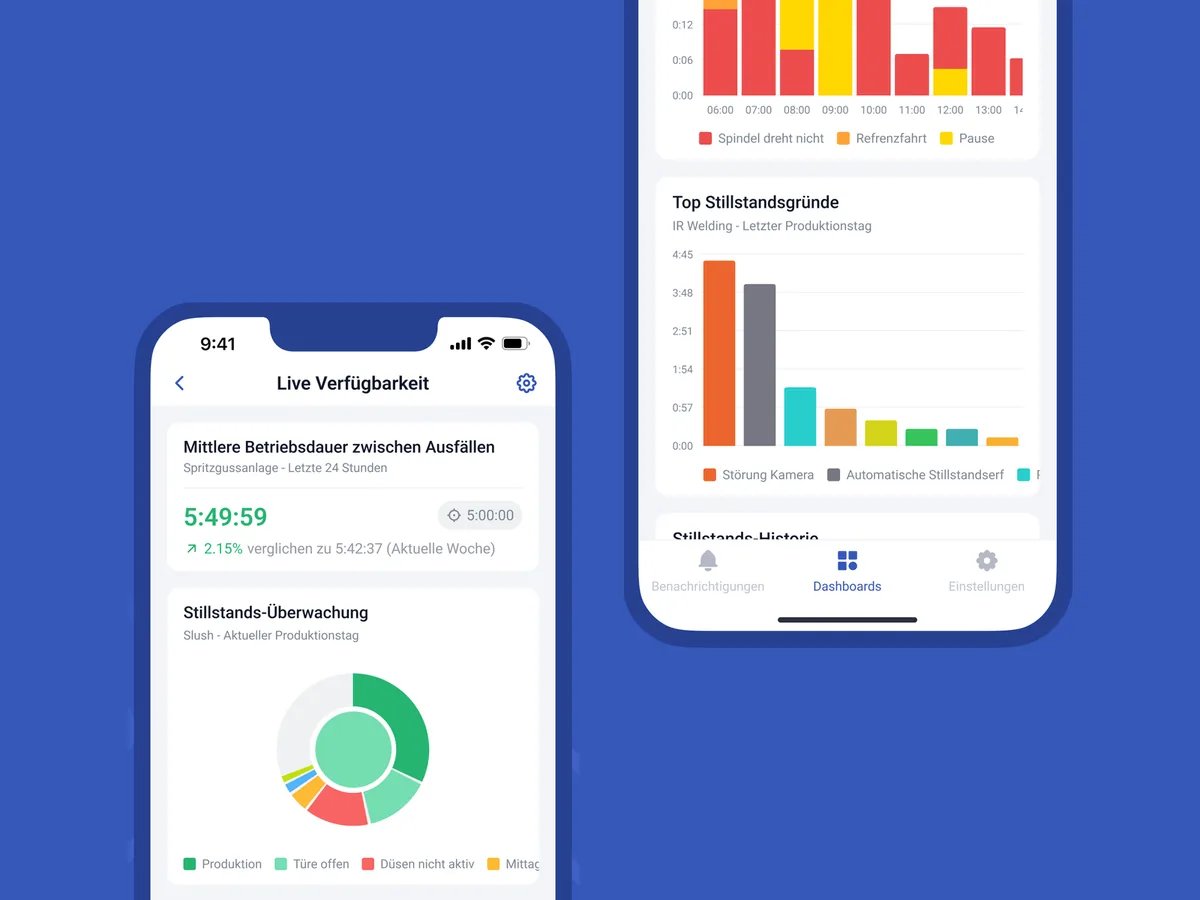
The most expensive stops are the ones nobody writes down
Everyone notices long outages. The many short stops, waiting for material, the extended changeovers show up on no list because they cannot be captured by hand. And where reasons are noted, “Other” and “Fault” end up on top.
How SYMESTIC reduces your downtime
What is included
Automatic downtime detection on every machine
Downtime reason catalog you maintain yourself
Translation of downtime reasons (AI, live today)
Notification on downtime according to rules you define
Analysis by machine, reason, shift and period
KPIs such as availability, MTBF and MTTR
Linked to order and material
What our customers achieve
−10%
Downtime
+7%
Output
4 plants
productive in 6 months
What does one hour of downtime cost you?
The downtime cost calculator works it out, the MTBF/MTTR calculator shows how reliably your machine runs.

Frequently asked questions

How do you capture downtime automatically?
Via the machine's signal: if it is not running, a stop begins. SYMESTIC reads that via OPC UA or, on older machines, via the IoT Box on the digital signals. The operator adds the reason at the workstation.
How do you reduce downtime?
Measure first, then tackle the most frequent reasons: material, changeovers, faults. Anyone who sees downtime by reason and machine can prioritize measures and check their effect over the following weeks.
What is the difference between downtime and a fault?
Downtime is any time the machine is not producing, whether planned or unplanned. A fault is unplanned downtime caused by an error. For availability in OEE, the unplanned downtime counts.
Do I need new hardware for this?
Usually not. The Cloud Gateway captures all data via OPC UA, software we provide free of charge that runs on your server or another computer. Alternatively there is the IoT Box, dedicated hardware for a one-time purchase: it captures digital signals or OPC UA without you having to provide a server or computer.
See where your machines stand and why.
30 minutes, free of charge.

Christian Fieg
Head of Sales · SYMESTIC
Over 25 years in the manufacturing industry · Six Sigma Black Belt · global MES rollouts in automotive
“I will also tell you in the conversation if SYMESTIC does not fit your production. That saves us both time.”
What you take away from the call
Book a demo with Christian
30 minutes · Microsoft Teams · no obligation
No preparation needed. All that helps is: which machines do you run, and which ERP do you use?
By booking, you consent to the processing of your details for the purpose of contacting you in accordance with the Privacy Policy.