



Process monitoring software: spot deviations before scrap occurs
SYMESTIC's process monitoring software captures process values such as temperature, pressure and consumption directly at the machine, checks them continuously against your limits and alerts you on deviation. That way you intervene while the part is still good.


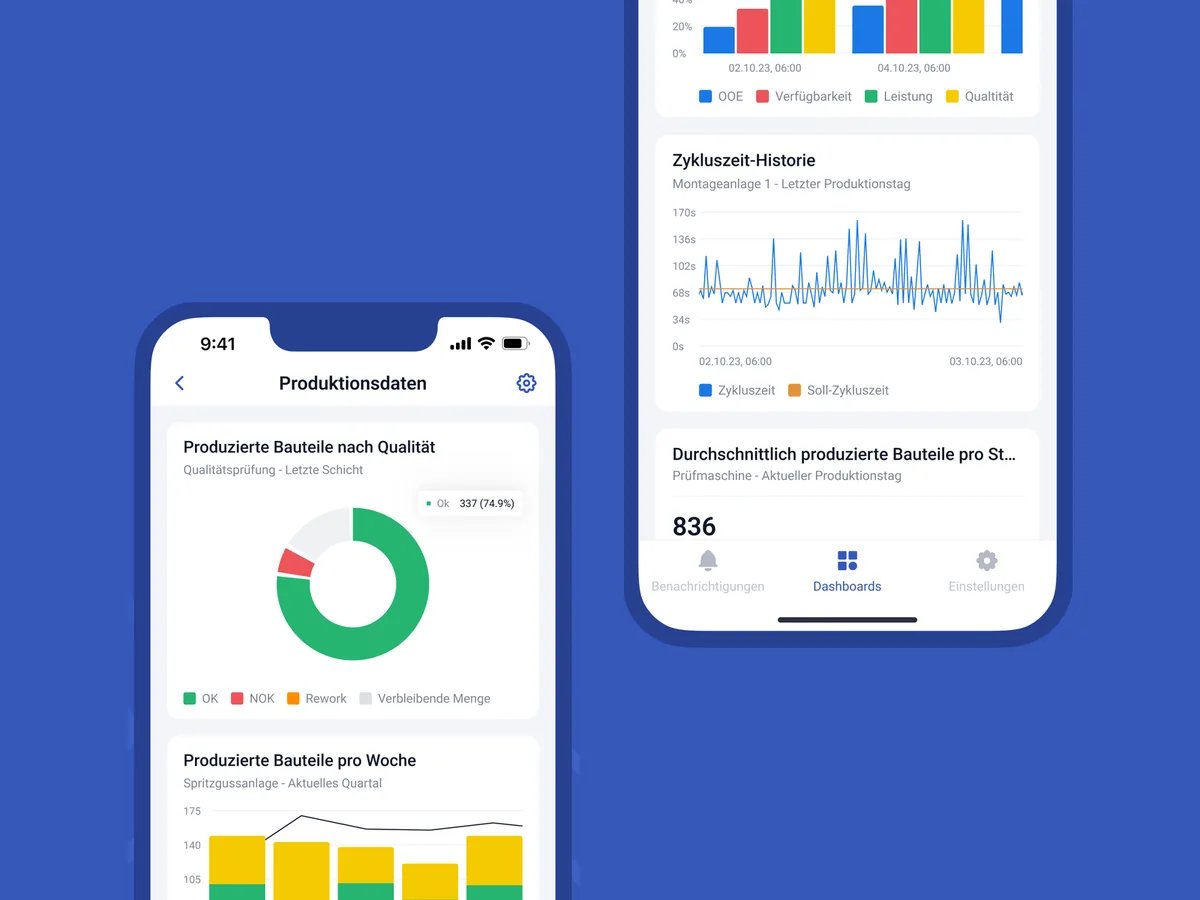
Scrap is usually only noticed at the end of the line
When the inspection finds a bad part, the deviation in the process is often already an hour old. The process values for it are in the controller, but nobody looks at them live, and later they can no longer be assigned to the order.
How process monitoring works
Capture.
Process values are captured directly from the machine via an OPC UA connection and stored in the history.
OPC UA connection to the machine
Temperature · pressure · consumption
captured → history
Monitor without programming.
You configure the monitoring logic as a job in the platform and assign it to the machine, no code needed.
Job · Temperature monitor
Intervene.
Limit violations and anomalies appear live and trigger a notification. The values stay linked to order, machine and shift.
Tool temperature 226.4 °C
above warning limit · 11:24
What is included
Process values in real time: temperature, pressure, consumption
Limits and notification on deviation
No-code monitoring as a job, assigned to the machine
Trend of every process variable in the history
Linked to order, machine, shift and material
Data streams to third-party systems such as QMS or CAQ via REST API
What our customers achieve
Calculate scrap costs

Frequently asked questions

What is process monitoring (process data collection)?
The automatic capture of process variables such as temperature, pressure, flow or energy during production, with a timestamp and a link to the order. It is the basis for detecting deviations early and avoiding scrap.
How do you reduce scrap with process data?
By checking process values live against limits and intervening on deviation, rather than only noticing at the inspection station that something went wrong. The history then shows which values were conspicuous before bad parts.
Can I pass the data on to our QMS?
Yes, via the REST API to third-party systems such as QMS or CAQ.
See your process values live against your limits.
30 minutes, free of charge.

Christian Fieg
Head of Sales · SYMESTIC
Over 25 years in the manufacturing industry · Six Sigma Black Belt · global MES rollouts in automotive
“I will also tell you in the conversation if SYMESTIC does not fit your production. That saves us both time.”
What you take away from the call
Book a demo with Christian
30 minutes · Microsoft Teams · no obligation
No preparation needed. All that helps is: which machines do you run, and which ERP do you use?
By booking, you consent to the processing of your details for the purpose of contacting you in accordance with the Privacy Policy.