



Production tracking software that captures shop floor data automatically and reports it back to your ERP
SYMESTIC's production tracking software captures times, quantities, good and scrap parts, stops and order status directly at the machine and reports them back to your ERP, whether InforCOM, Microsoft Dynamics or SAP. Whatever does not come in automatically, operators enter in a few clicks at the workstation.


< 3 h
first machine live
bidirectional
ERP integration
15 countries
with customers
Order status in the ERP does not match the shop floor
Operating data ends up on route cards, in Excel or is retyped at the terminal. The ERP only learns at the end of the shift what really ran, and often only roughly. Downtime reasons are known days later, quantities are maintained twice.
Production tracking software only pays off if it captures automatically and reports back automatically. Otherwise it just moves the retyping.
From machine to ERP in three steps
What is included
Order and operating data
Times, quantities, good and scrap, status, stops; automatic and manual.
Machine data integrated
Production tracking and machine monitoring in one system.
Bidirectional ERP connection
InforCOM, SAP, Microsoft Dynamics NAV and Microsoft Business Central; further systems via REST API, webhooks or file interface.
Operator interfaces
Start, pause and finish orders; quick entries on the touch display; on Windows, Android, iPadOS and macOS.
Every operator can report back
Clients and users are unlimited, with no per-seat surcharge.
Digital documentation
Every confirmation archived without paper and retrievable in seconds.
Live KPIs
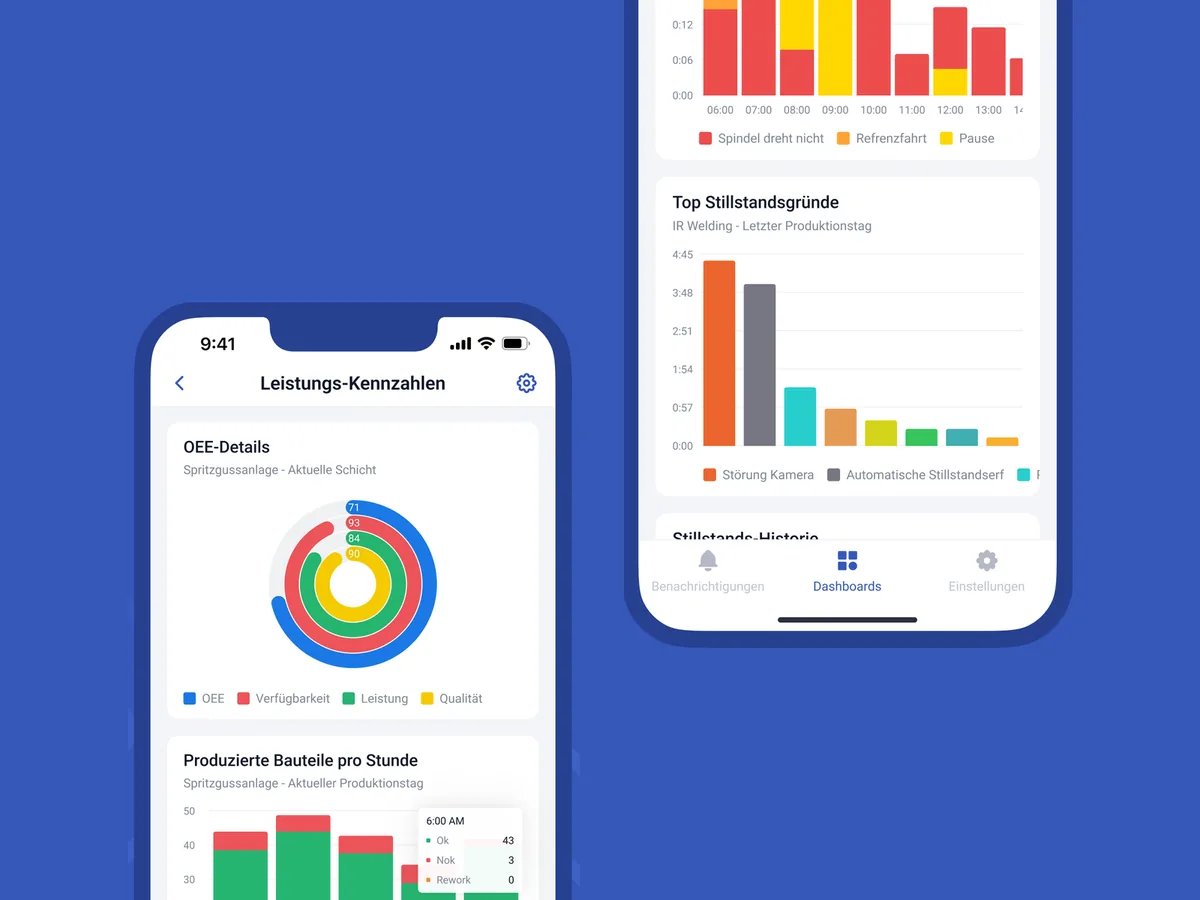
OEE, utilization, order progress per machine, line and plant.
What our customers achieve
Day 1
Real-time data at the line
100%
Real-time transparency
Key users keep the system running on their own


Production tracking software compared
 SYMESTIC

Calculate your cycle time

Frequently asked questions

What is production tracking software?
Software that captures and analyzes the operating data of production: order times, quantities, good and scrap parts, status and stops. Automatically from the machine, supplemented by operator entries, instead of on paper or in Excel.
What is the difference between production tracking and machine monitoring?
Production tracking captures operating and order data (times, quantities, status), machine monitoring captures machine data (states, signals, cycle). SYMESTIC combines both.
Which KPIs does a production tracking system provide?
Order progress, utilization, OEE, good and scrap quantities, downtime duration and reasons, cycle times, plus KPIs such as MTBF and MTTR. In SYMESTIC live per machine, line, shift and plant.
Can production tracking be integrated with our ERP?
Yes. The connection runs in both directions: orders come from your ERP, confirmations go back automatically. InforCOM, SAP, Microsoft Dynamics NAV and Microsoft Business Central are already connected. Through the documented REST API and webhooks, the connection costs nothing extra; if that does not fit, we build a custom integration. MES ERP integration
Do I need production tracking terminals or new hardware?
Usually not. Operators report back on existing PCs, tablets or touch displays. SYMESTIC's Cloud Gateway reads machine data via OPC UA, free software on one of your servers or computers. The IoT Box only comes in if a machine does not speak OPC UA or you do not want to provide a computer: hardware you buy once that reads the machine's signals, without changing the PLC.
How much does production tracking software cost?
The standard configuration (platform and 5 machines) costs €850 per month with annual billing. Unlimited users, onboarding and updates included. Details on the pricing page
How quickly can production tracking software be implemented?
First machine in under 3 hours, first use case in days. Plettenberg had real-time data at the line on day one.
Bring your route card.
In 30 minutes, we show how the same confirmation lands automatically in your ERP. Free of charge.

Christian Fieg
Head of Sales · SYMESTIC
Over 25 years in the manufacturing industry · Six Sigma Black Belt · global MES rollouts in automotive
“I will also tell you in the conversation if SYMESTIC does not fit your production. That saves us both time.”
What you take away from the call
Book a demo with Christian
30 minutes · Microsoft Teams · no obligation
No preparation needed. All that helps is: which machines do you run, and which ERP do you use?
By booking, you consent to the processing of your details for the purpose of contacting you in accordance with the Privacy Policy.