



TEMPLATE
Capacity planning: Excel template
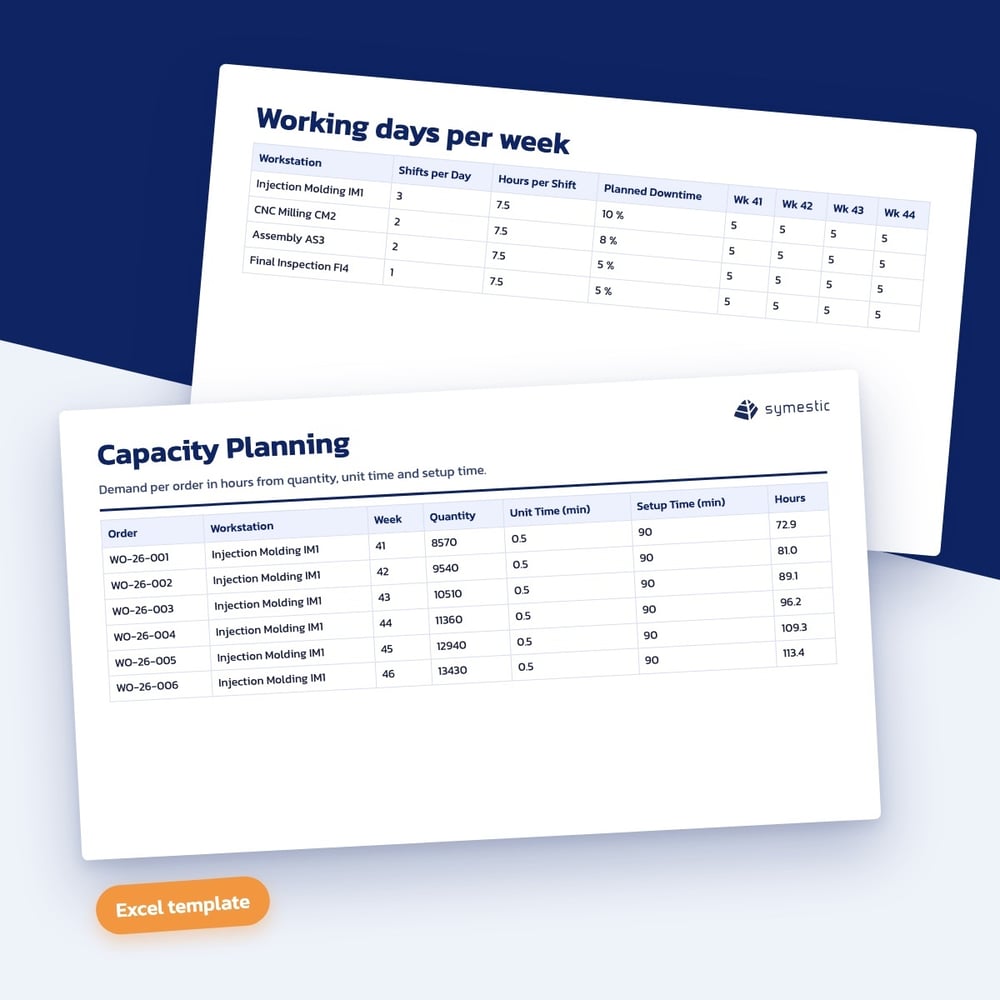
Use this template to compare capacity and order demand for each work center over twelve calendar weeks and see in which week a work center is overloaded.
Download the template
What is in the template
Excel calculates net capacity from shifts, hours, working days and planned downtime. The template calculates demand from quantity, time per piece and setup time.
- Capacity per work center and calendar week from shifts, hours and working days
- Deduction for planned downtime in percent, room for 10 work centers and 100 orders
- Demand per order from quantity, time per piece and setup time in hours
- Utilization per work center and week with traffic light at 85 and 100 percent
- Chart of capacity and demand, switchable per work center or for all
- Example with four work centers and twelve weeks, Excel file without macros
Who it is for
Who the capacity planning template is for
The template is for production planners and production managers who want to see before order release which work center will be overloaded in the coming weeks. It suits job shops and lines where setup times noticeably increase demand.
How to work with the capacity planning template
- 1
Enter capacity
Set shifts, hours, working days and the share of planned downtime for each work center.
- 2
Capture demand
Enter orders with quantity, time per piece and setup time, and Excel calculates demand in hours.
- 3
Read utilization
The traffic light at 85 and 100 percent and the chart show where to move orders, add shifts or outsource.
What counts in capacity planning
Net capacity, not attendance time
Breaks, maintenance and other planned downtime are not available for orders. Planning with the full shift time overloads work centers on paper already.
Setup time belongs in demand
Many small orders need more capacity than a few large ones with the same quantity. That is why the template includes setup time per order.
A buffer below 100 percent
A plan that fills capacity completely leaves no room for disruptions and rush orders. The traffic light from 85 percent makes that buffer visible.
Download the capacity planning template
Fill in the short form and you receive the download right after.