



TEMPLATE
Corrective action plan: Excel template
Use this template to keep actions from shop floor meetings, audits and problem solving in one place, each with an owner, a due date and a status.
Download the template
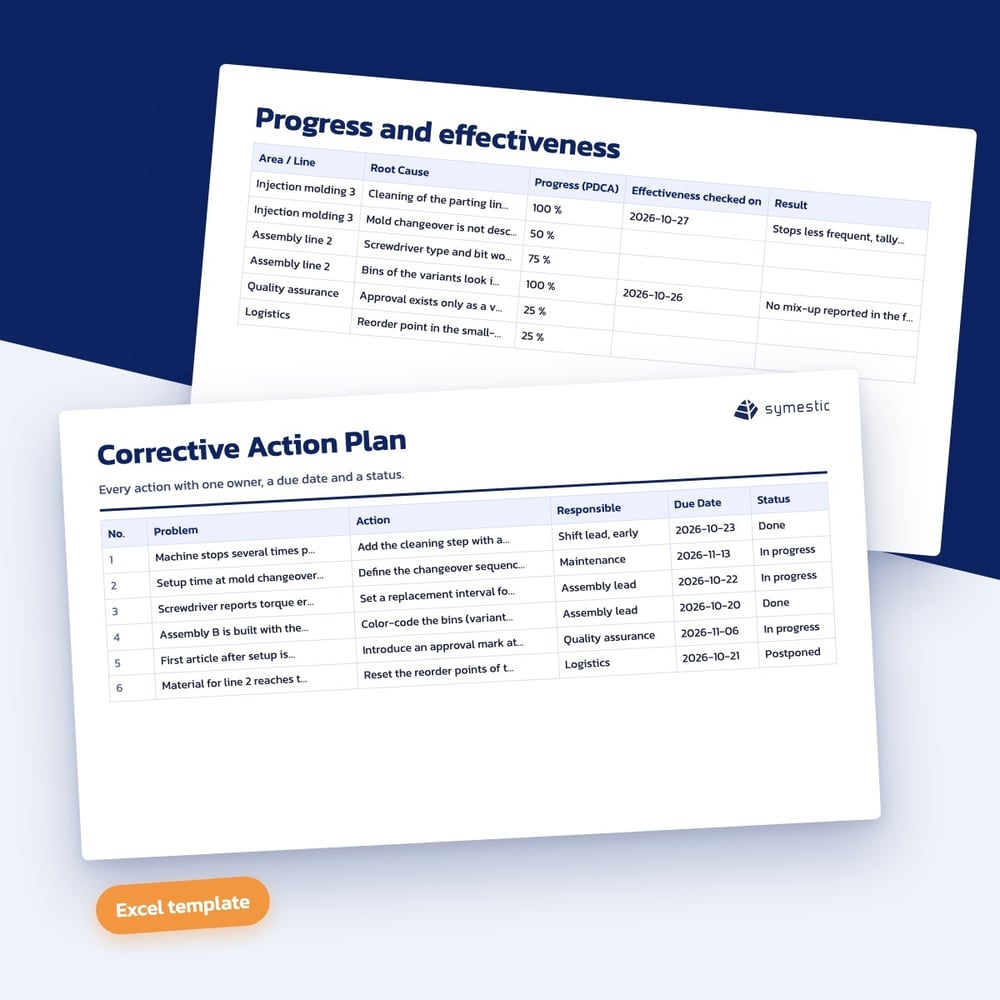
What is in the template
Excel flags overdue actions on its own. The overview counts actions by status and by owner.
- Action list with area, problem, cause, action, owner, start and due date
- Status from a drop-down list and progress in PDCA steps from 0 to 100 percent
- Traffic light for overdue actions by formula
- Overview by status and by owner with share completed
- Columns for effectiveness check and result
- Filled-in example from a fictional shop floor meeting, Excel file without macros
Who it is for
Who the corrective action plan template is for
The template is for shift leaders, lean managers and quality managers who want to keep actions from shop floor meetings, audits and problem solving in one place. Everyone sees what is open, who owns it and what is overdue.
How to work with the corrective action plan template
- 1
Add the action with its cause
Enter area, problem, cause and action with owner, start and due date.
- 2
Maintain progress
Select the status and the progress in PDCA steps, and the traffic light flags overdue actions on its own.
- 3
Check the effect
Close an action only when the effectiveness check column shows a result.
What makes an action plan effective
One action, one name
An action with several owners has none. One name and one due date per row make the plan easy to review in the meeting.
Done is not the same as effective
An implemented action can still miss the problem. The effectiveness check shows whether the cause is really gone.
One plan for all sources
Separate lists for audits, complaints and meetings lead to duplicate work. One shared plan shows the load per person at a glance.
Further reading
Download the corrective action plan template
Fill in the short form and you receive the download right after.