



TEMPLATE
ERP MES integration: Excel checklist
Use this checklist to decide which data flows between ERP and MES and which system is the master.
Download the checklist
What is in the checklist
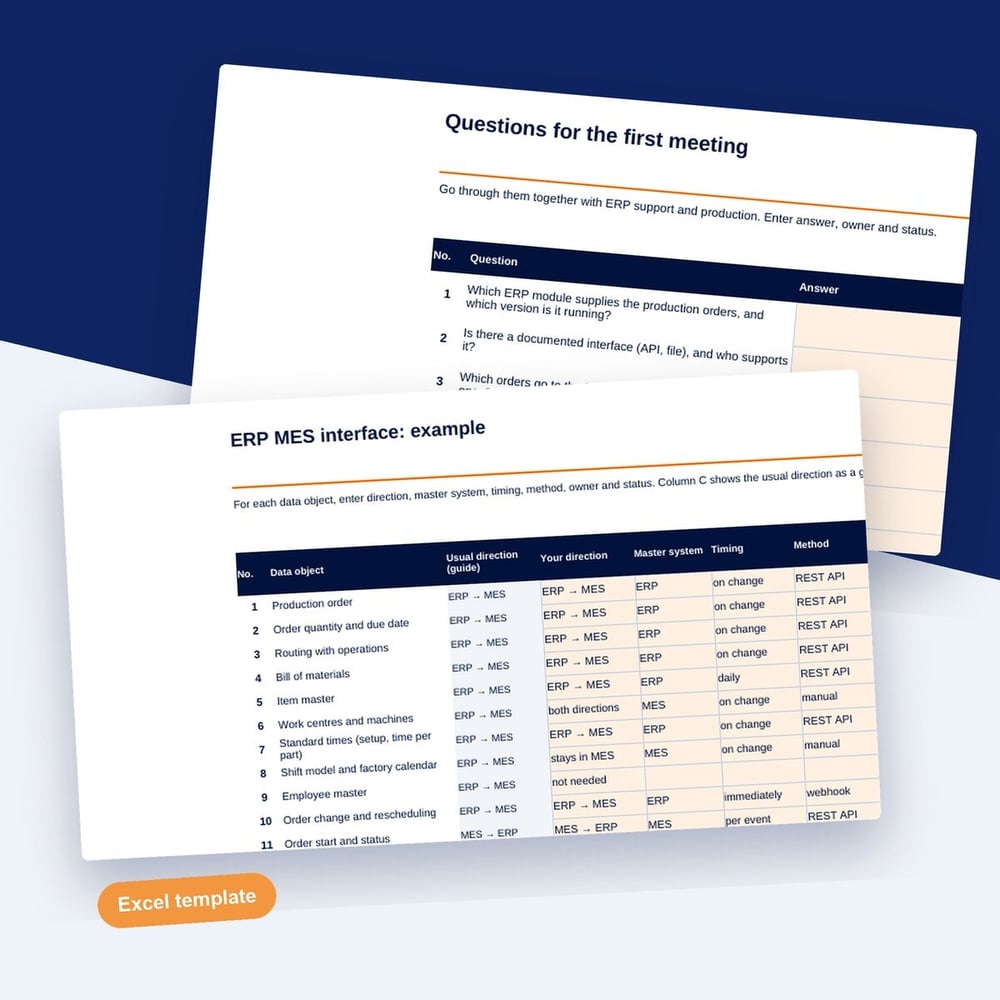
For 20 data objects, you enter direction, master system, timing and owner. A check column flags gaps, and a count shows how much is still open.
- 20 data objects from production order to confirmation, each with the usual direction
- Direction, master system, timing and owner per data object
- Master data with master system and the way changes reach the other system
- Twelve questions for the first meeting with the ERP side, plus a filled-in example
SYMESTIC, the cloud-native MES, is connected to ERP systems including InforCOM, SAP, Microsoft Dynamics NAV and Microsoft Business Central, via a documented REST API and webhooks. In a free 30-minute live demo, we show you SYMESTIC on your own use case.
Who it is for
Who the ERP MES integration checklist is for
The checklist is for IT managers, ERP owners and production managers who are preparing an MES project and need to agree on the interface before the specification is written. It helps when production and the ERP team describe the same data in different terms and nobody has decided which system owns it.
How to work with the ERP MES integration checklist
- 1
Map the data flow
For each data object, set direction, master system, timing, method and owner. The check column flags gaps.
- 2
Assign master data
Set exactly one master system for items, routings, shift models and reasons, and note how changes reach the other system.
- 3
Prepare the meeting
Take the twelve questions to the first meeting with the ERP side and record the answers in the file.
What matters at the ERP MES interface
Every data object has one master
When items or routings can be changed in both systems, they drift apart within weeks. One master per object and a defined path for changes keep both in line.
Timing depends on the use
An order release can travel once per shift, a quantity confirmation may be needed within minutes. Setting the timing per object keeps the interface as simple as the use allows.
Confirmations need a rule for corrections
Quantities and scrap are sometimes corrected after the fact. Agree early whether a correction overwrites the confirmation or is sent as a separate booking.
How to
How to define the data exchange between ERP and MES
An ERP MES integration defines which data travels between the two systems, in which direction, how often and which system is the master for each data object. Typically, the ERP sends production orders, item master data, bills of materials and routings to the MES. The MES returns quantity confirmations, scrap, times and material consumption.
ISA-95, the international standard for enterprise control system integration, separates the levels: the ERP plans on level 4 in days and weeks, the MES manages execution on level 3 in shifts, hours and minutes. Use that split to assign ownership. Planning data and costs stay in the ERP, while machine states, stop reasons and actual quantities from the shop floor originate in the MES.
For each data object, record direction, master system, trigger or timing, transfer method such as a REST API, a file or middleware, and an owner on each side. Then agree on the special cases: partial confirmations, order changes after release, cancelled orders, duplicates and corrections of quantities already booked. Test each case once with real orders before go-live.
Example
Example: Data flow table for a machining plant
Five data objects from the checklist. Directions, timing and owners are example values.
| Data object | Direction | Master | Timing | Owner |
|---|---|---|---|---|
| Production order | ERP to MES | ERP | At release | Production planning |
| Routing with target times | ERP to MES | ERP | On change | Process engineering |
| Quantity confirmation | MES to ERP | MES | Per completed operation | Production |
| Scrap with reason | MES to ERP | MES | End of shift | Quality |
| Shift model | ERP to MES | ERP | On change | Production management |
Each row has exactly one master, so a routing changed in the MES would be overwritten at the next transfer from the ERP. The timing column shows that quantity confirmations need a fast link, while routings and shift models only travel when they change.
Questions and answers
Common questions about ERP MES integration
What is the difference between ERP and MES?
The ERP plans and manages the business: orders, materials, purchasing, costs and finance, usually in days and weeks. The MES manages execution on the shop floor: which order runs on which machine, actual quantities, stops and quality data, in minutes and seconds. The integration connects the plan with what actually happens.
Which data should the MES send back to the ERP?
At minimum, good quantity and scrap per order and operation, with the time of completion. Many plants add actual machine and labor times for costing, material consumption by lot and the order status. Send only what the ERP actually uses, because every extra field needs a mapping, a test and an owner.
Which methods connect an ERP and an MES?
Common methods are a REST API with webhooks for events, a middleware or message broker between the systems, and file transfer at fixed times. The choice depends on what your ERP supports and how fast each data object has to arrive. Ask your ERP team early which interfaces are available and licensed.
Who should own the ERP MES interface?
Name one owner on each side: someone from the ERP team for the business data and someone from production or IT for the MES side. Both agree on changes, monitor failed transfers and decide how errors are corrected. Without named owners, failed messages pile up unnoticed until the numbers in both systems no longer match.
Further reading
Download the ERP MES integration checklist
Fill in the short form and you receive the download right after.